
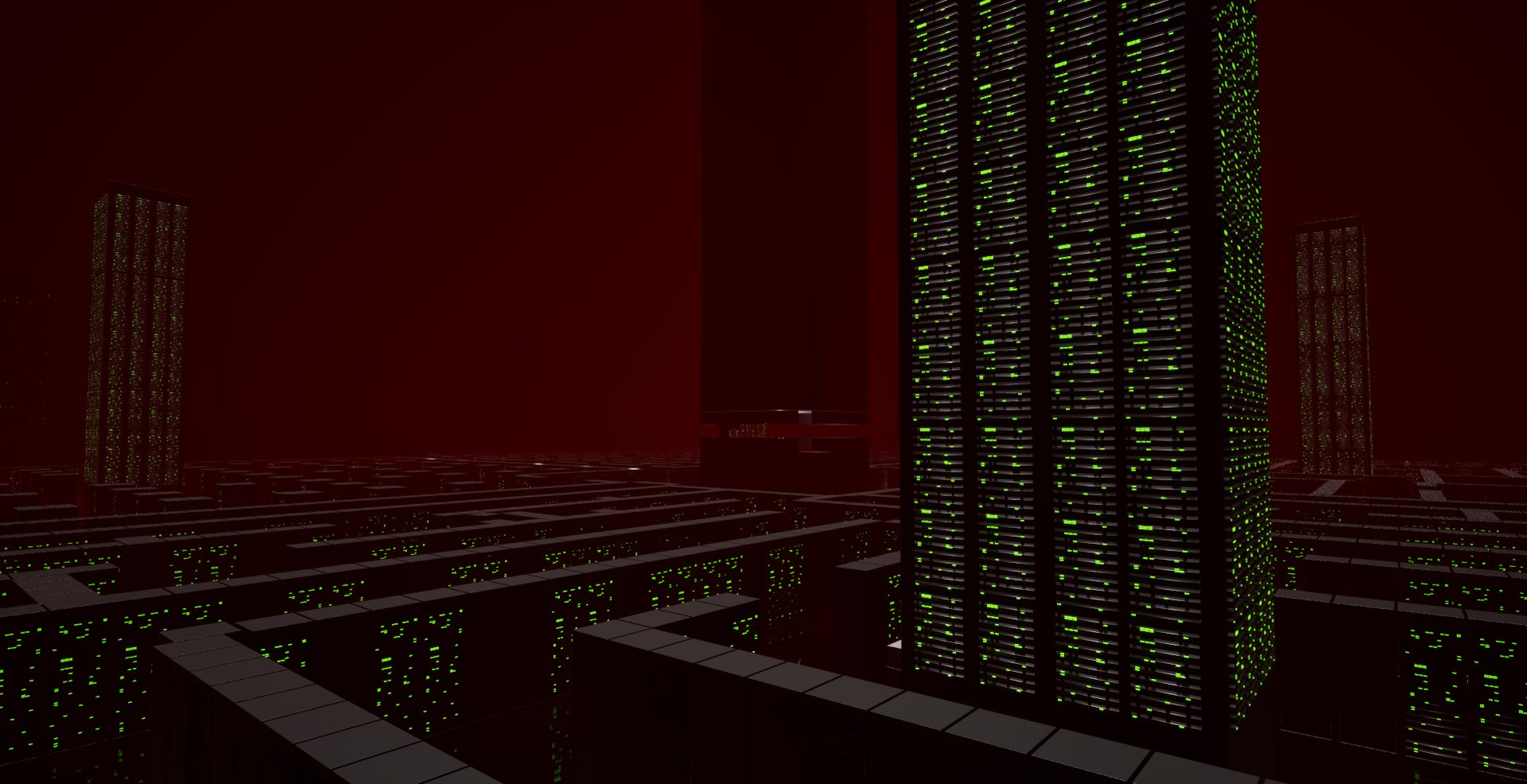
What is this?
The overall goal was to create a smart AI monster taking inspriation from to the Alien in Alien: Isolation.

Inspirations/References
Alien: Isolation is the biggest inspiration for the project. I want to emulate and expand how that AI was implementing into the game.
The AI for the Alien well regarded as for its ability to adapted to the player and seem intelligent.
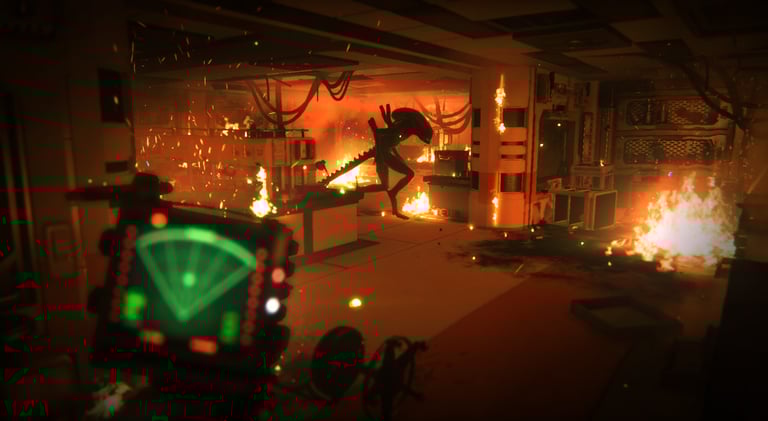
Alien: Isolation
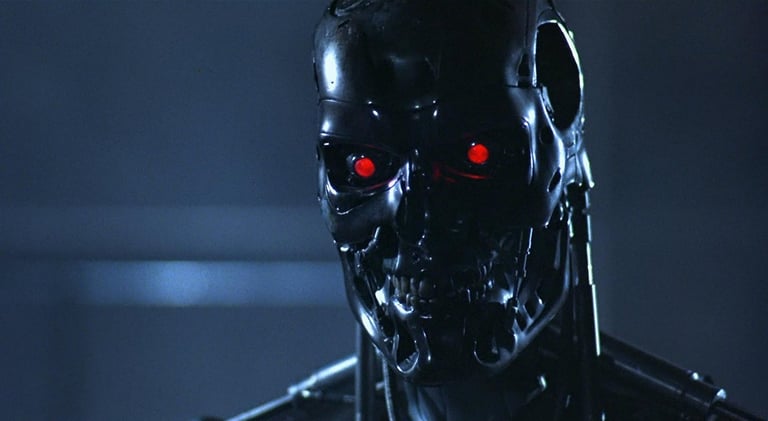
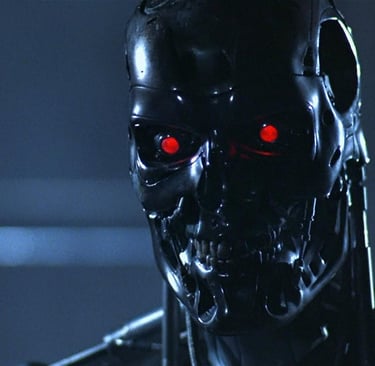
Terminator
The Terminator is a strong reference for tying together the game’s theme and the player’s motivation. The player is attempting to defeat an unstoppable force by going directly to its source.
I also have some electronics-related game mechanics planned, and the robot monster’s ability to mimic sounds the player might care about, similar to moments in the movie, would be a great thematic reference
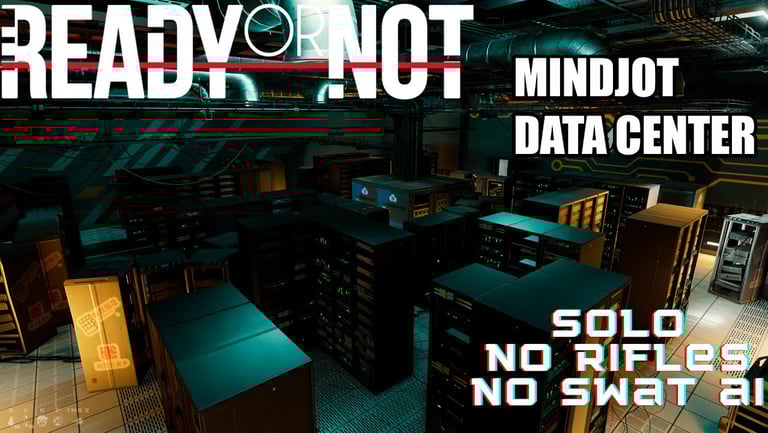
Ready Or Not
The Mindjot Data Center in Ready or Not has a server room that feels like a labyrinth the first time you enter it. There is always more going on in there than you expect.
This would be an excellent setting for encountering the monster. There are plenty of places to hide, and the environment also helps reinforce the monster’s theme.
Design
The premise of this game is that an experimental military AI has gone rogue and is now hunting the player, who must enter the AI’s “brain,” a massive server complex, to manually shut it down.
The overall goal was to create a smart AI monster using the inspirations mentioned above. The first step was to break down the design elements that made the Alien’s AI in Alien: Isolation so effective.
Two AI Systems
Director AI
Monster AI
The AI for the Alien is divided into two parts: the Director AI and the Monster AI. The Director manages the game’s pacing, while the Monster AI controls the Alien itself.
One very important detail is that the Alien is never told the player’s exact location. The Director only gives it a hint about where to search. The Alien must find the player on its own.
The Director AI manages the menace gauge and the pacing of encounters with the Alien. When the menace gauge is low, the Director gives a clue to guide the Alien toward the player. During encounters, the menace gauge rises, and once it reaches a threshold, the Director sends the Alien elsewhere to search, allowing the player to progress.
For the design of the Director AI in FAUST-9, the planned elements are:
Manages Stress Gauge
AI Close to player
Player Has Line of sight
AI is close on the motion tracker
High Stress Gauge
Directs Monster away so player can progress
Lower Stress Gauge
Gives Monster hint to the player’s location
Always knows players location
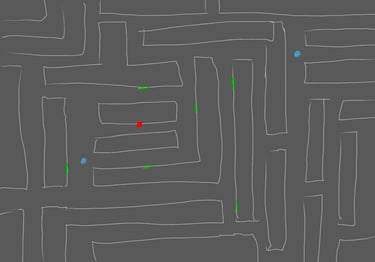
The Monster AI governs the Alien itself. It manages the Alien’s perception, determines where it searches within the local area, and controls how it interacts with the environment and NPCs. The Alien can also learn from the player’s actions to adapt to their strategies.
For the design of FAUST-9, the planned features are:
Uses Behavior Trees to hunt and react to the player
Reacts to and investigates points of interest (POIs) and triggers in the environment, including:
Sounds
Sight
Never knows the player’s exact location, and must find the player on its own
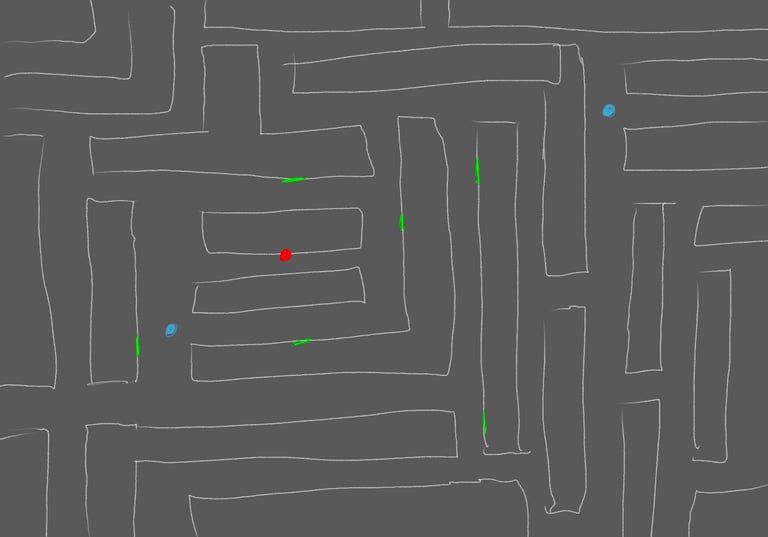
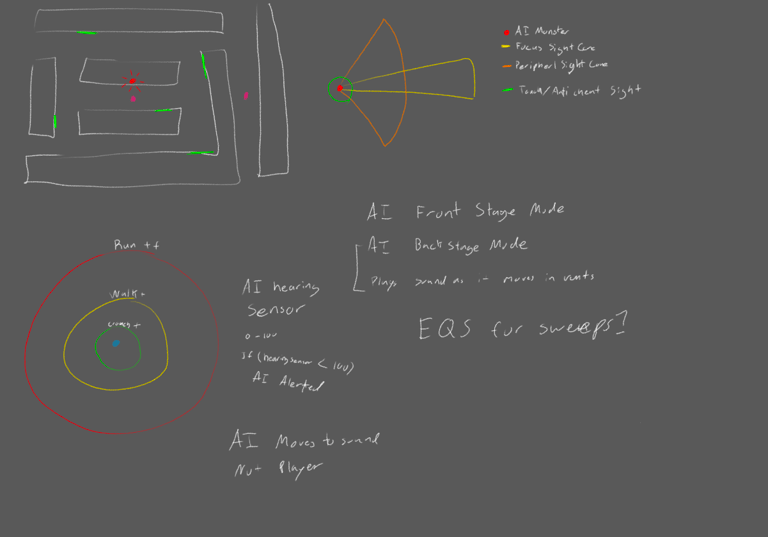
Above: A sketch of what I imagined the level could look like and how the Director might handle sending FAUST-9 to search locations in the maze.
Development
When it comes to horror games and enemy AI like this, the components cannot be designed in isolation because each one interacts with the others to create the overall experience.
Map Design
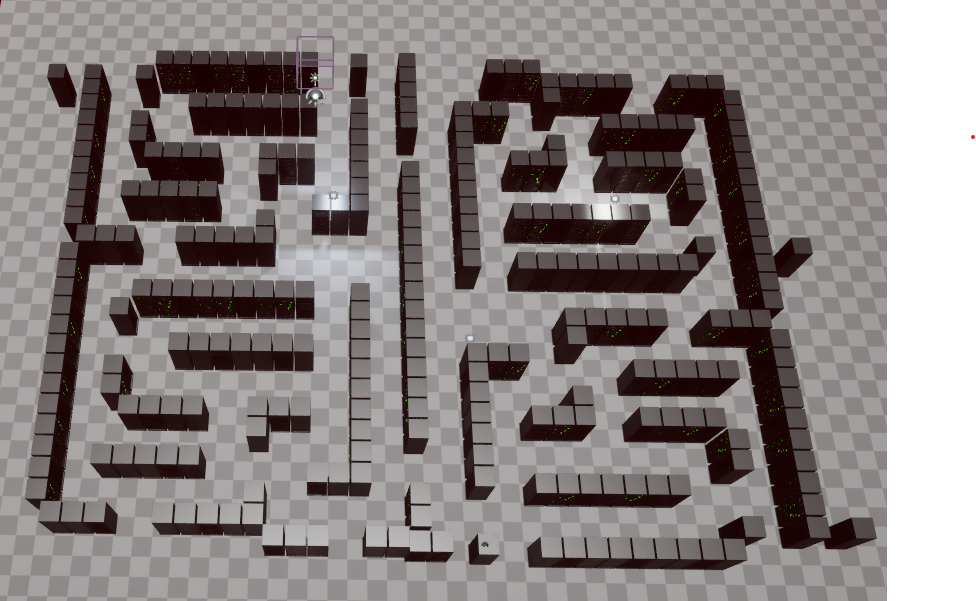
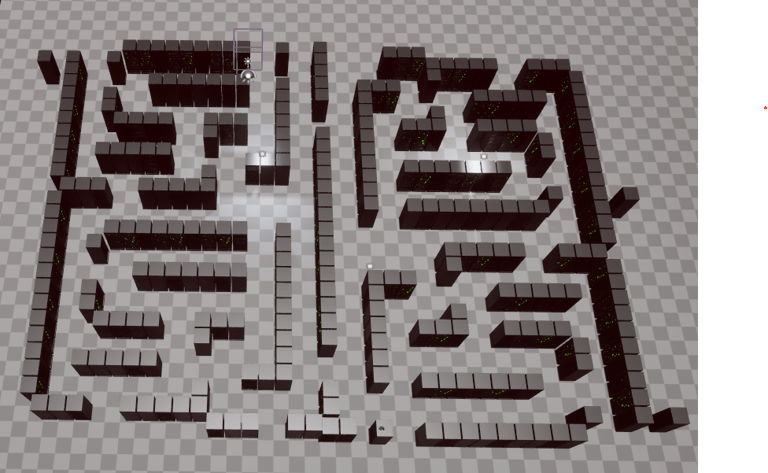
First Map Design
I knew I wanted to create a server maze inspired by the Ready or Not map MindJot, so I built this test maze.
Even with this small test map, I learned a lot. One important lesson was that I do not want to frustrate the player with a maze that is too complex. The player should feel slightly lost but not so lost that they give up.
The first area I focused on when developing FAUST-9 was the maps. The map is important because FAUST-9 will need to navigate a complicated maze, and having a clear idea of what the maze could look like was essential.
Prototype Map 1
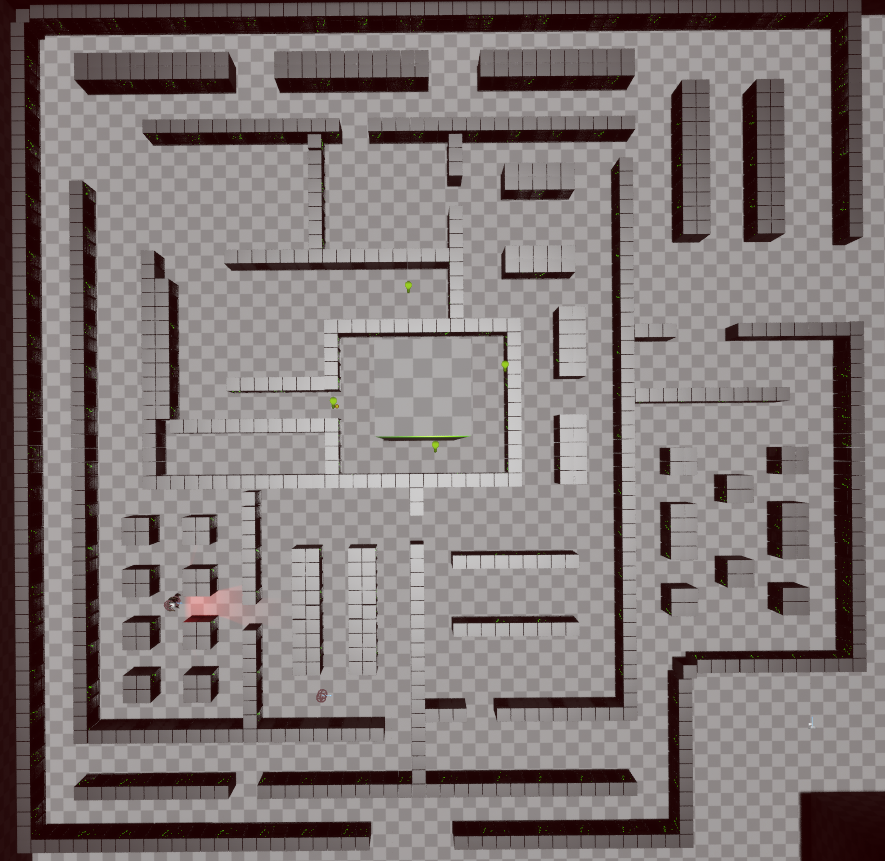
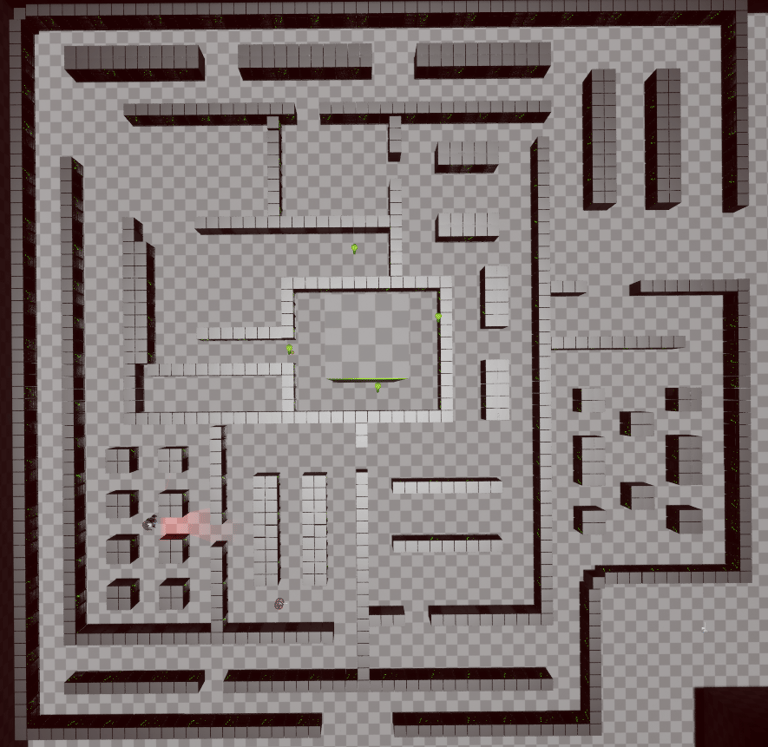
Maps Iteration
Learning from the first prototype map, I wanted to create more location hierarchy. I also wanted to provide the player with a navigation point so they could stay oriented in the maze.
Another issue I encountered with the first map, which I tried to address in the second map, was that the previous map felt too compact, making it harder to navigate around FAUST-9. Additionally, because the map was so broken up, the player could simply walk straight to the objective.
Despite these changes, there was still a major flaw in this map design that would have affected the previous map as well. The flaw is that there are multiple paths to the objective. During playtesting, players would see FAUST-9 and just turn around to take another route. I attempted to fix this through FAUST-9’s search behavior, but in the end, the best solution was to make the map linear. This forces the player to confront FAUST-9 rather than bypassing it.
Prototype Map 2
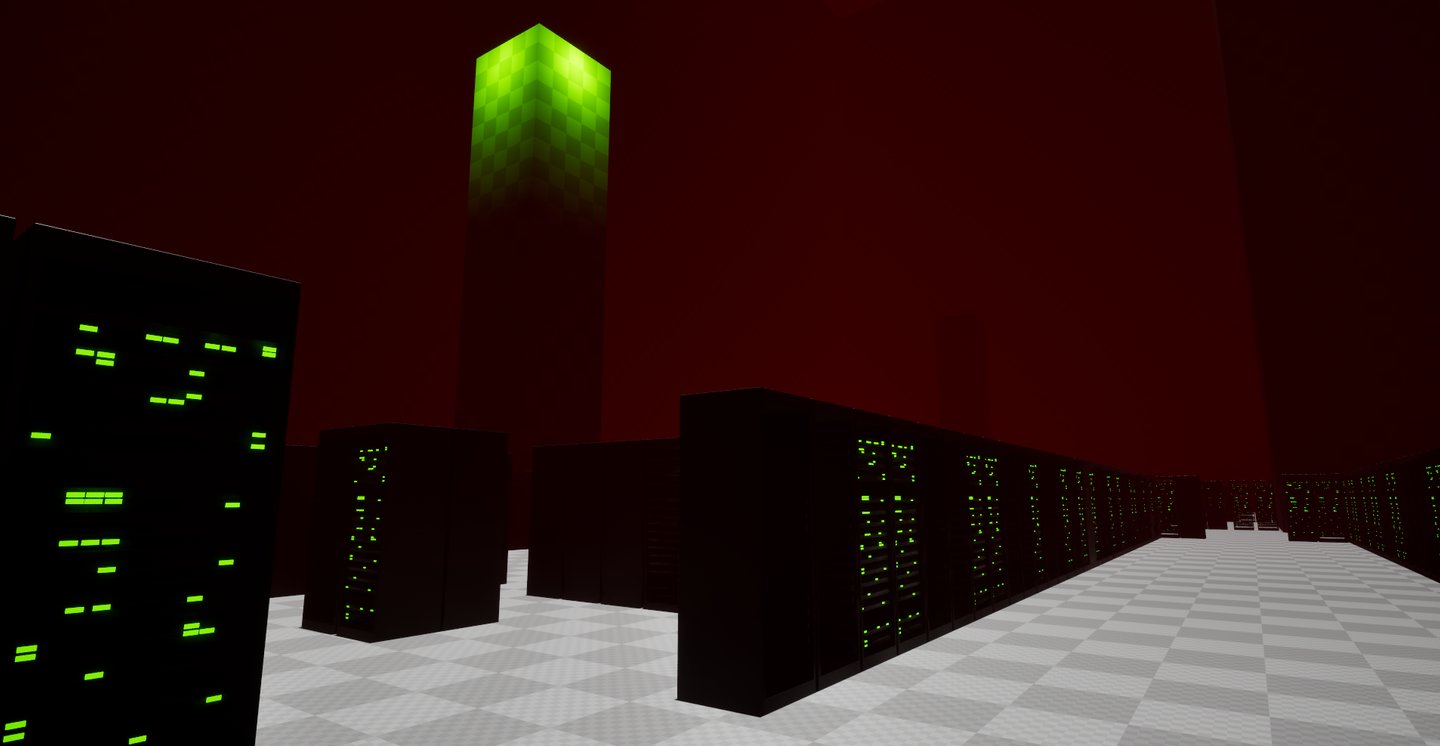
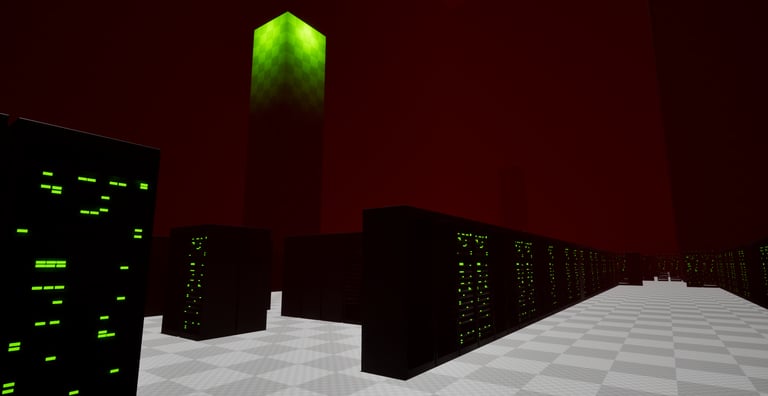
Prototype Map 2 from perspective. The objective is to reach the green tower to shut it down.
FAUST-9 AI Design
This section describes the design of Faust as implemented in the game. I focused on nearly all aspects of its design, including visual design, because in horror games, the AI’s effectiveness depends on how well all parts of the game work together to create tension and atmosphere.
The ability for Faust to learn was something I really wanted to include in its design, but it ended up being out of scope for this project.
FAUST-9 Character Model
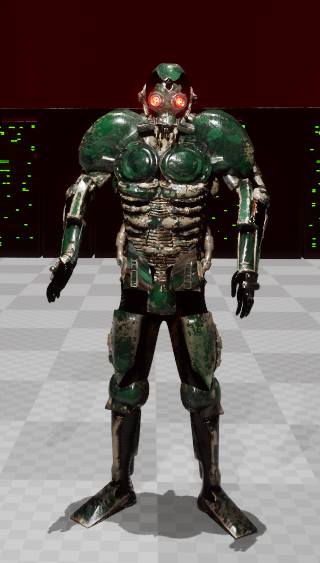
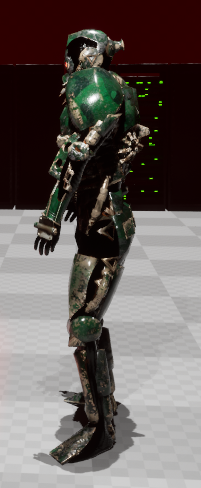
For FAUST-9, I started by acquiring a character mesh. I asked a friend, Cameron Zignego, to create a robot character in Zbrush, and credit to him because he completed the entire model, fully textured, in just two hours.
There was one specific requirement for the character design. I needed the robot to have glowing red eyes, which later became an important gameplay feature.
For animations, I used Mixamo, which provided models that were close enough to what I needed to continue developing the character.
FAUST-9 Perception
For the AI to function properly, it must perceive the world around it in order to make decisions and take actions.
I started with sight perception because it is the core method for detecting the player. Referring back to my notes and referencing Alien Isolation, I wanted to implement multiple vision cones for Faust so it could perceive the player more effectively.
Faust has two vision modes: a passive search mode and an active tracking mode.
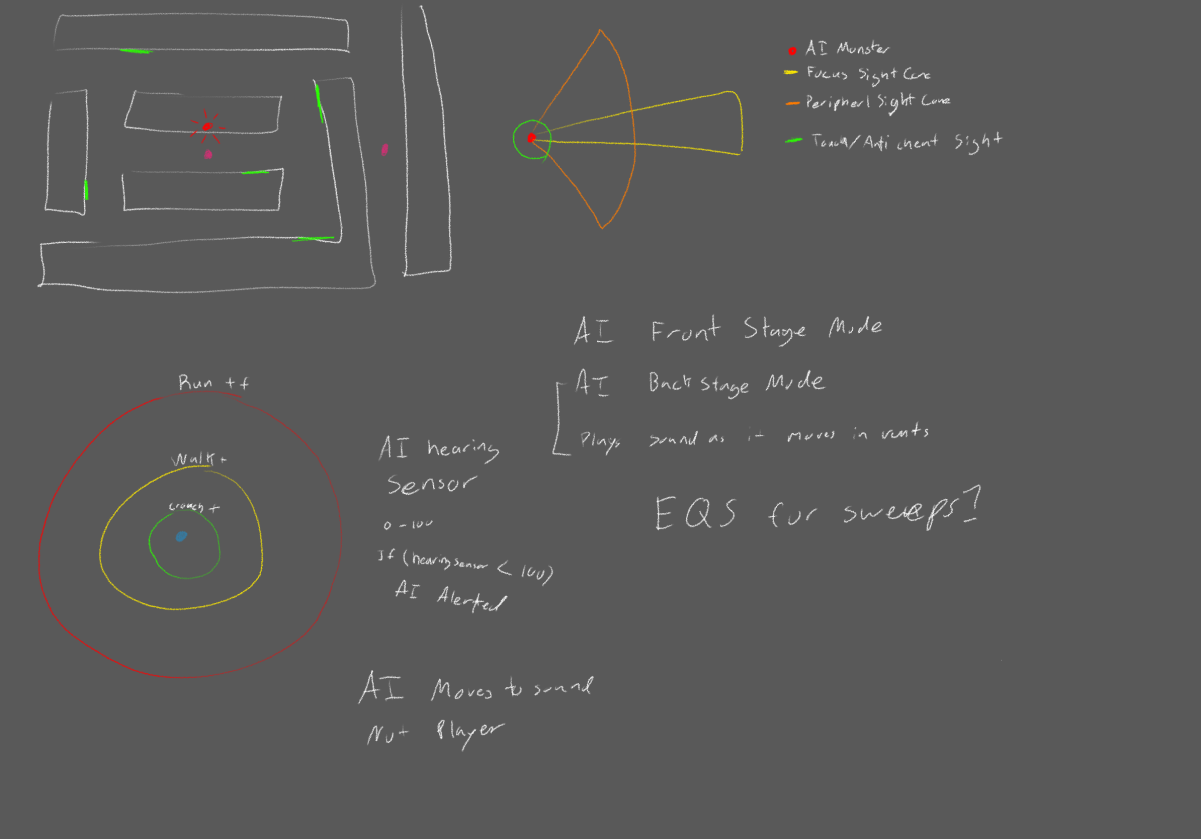
Faust has a primary vision cone, which is the main cone used to take actions against the player. This cone is narrow but has a long line of sight.
The secondary cones serve as Faust's peripheral vision. When Faust detects the player within these cones, it will turn its head to focus on the point of interest. If the player is then detected by the main vision cone, Faust will engage. Otherwise, once the stimulus is forgotten, it will return to looking forward.
All vision cones are attached to Faust's head bone, so when it turns its head, its vision adjusts accordingly.
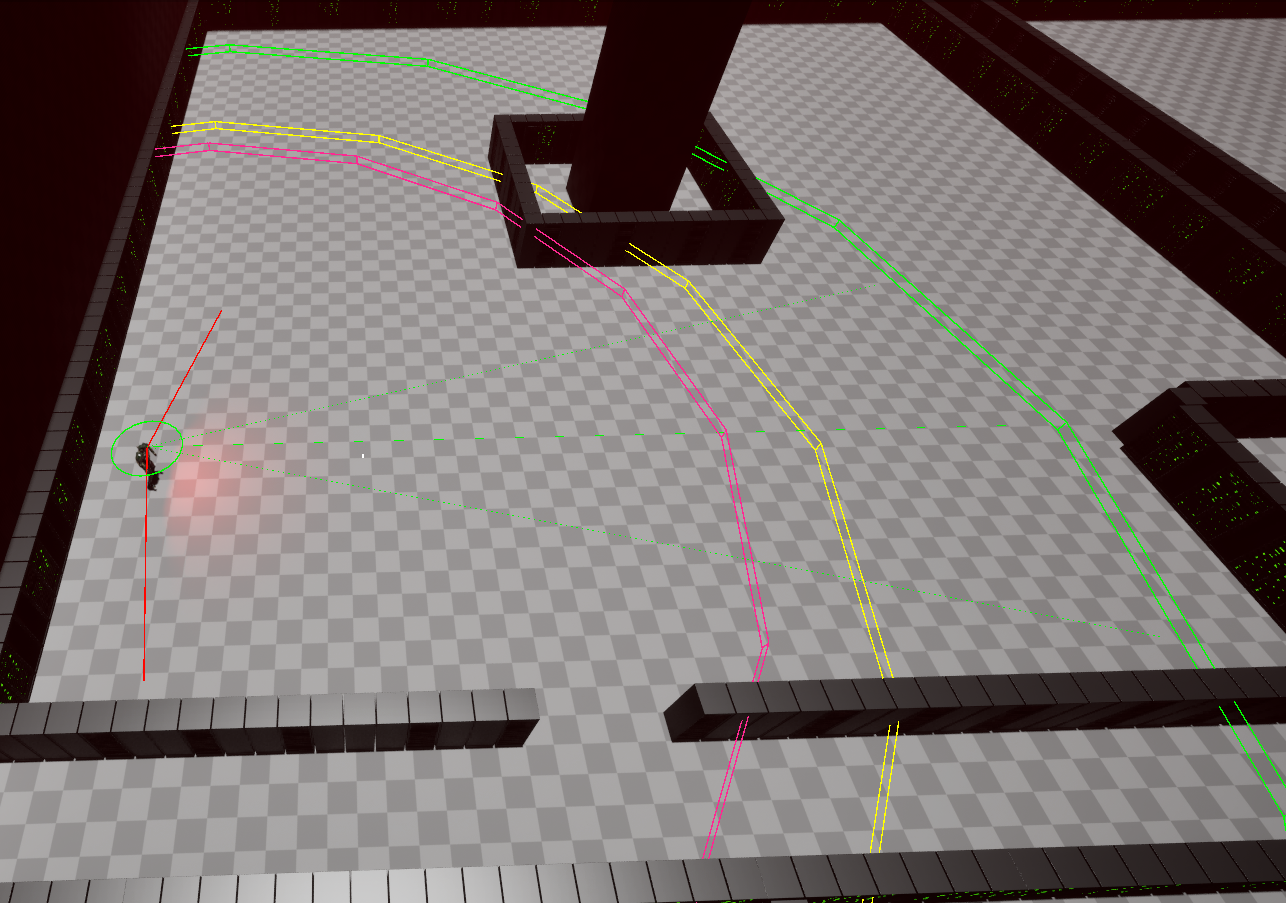
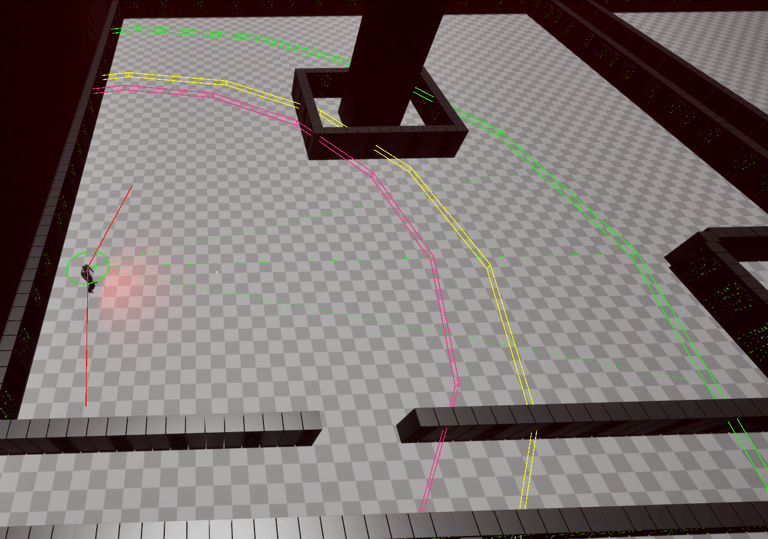
Passive Vision Cones


Active Vision Cone
Once Faust detects the player, it switches its primary vision cone to a wider view to improve tracking and reduce the chance of losing sight of the target.
In passive mode, the narrow primary cone sometimes allowed players to evade detection, particularly at close range where the cone was at its thinnest. Widening the vision cone upon detection helps ensure Faust can maintain pursuit in these situations.
Hearing Sense
Hearing is Faust's most important tracking sense and plays a key role in the gameplay. Faust can detect the player by sound at nearly the same distance as its visual range. This sense is particularly useful for following the player after they have broken line of sight.
When Faust loses sight of the player while they are sprinting away, it moves to the last location where it heard the player. If it sees the player there, it resumes the chase. Otherwise, once it reaches that location, it looks around and continues searching.
Prediction Sense
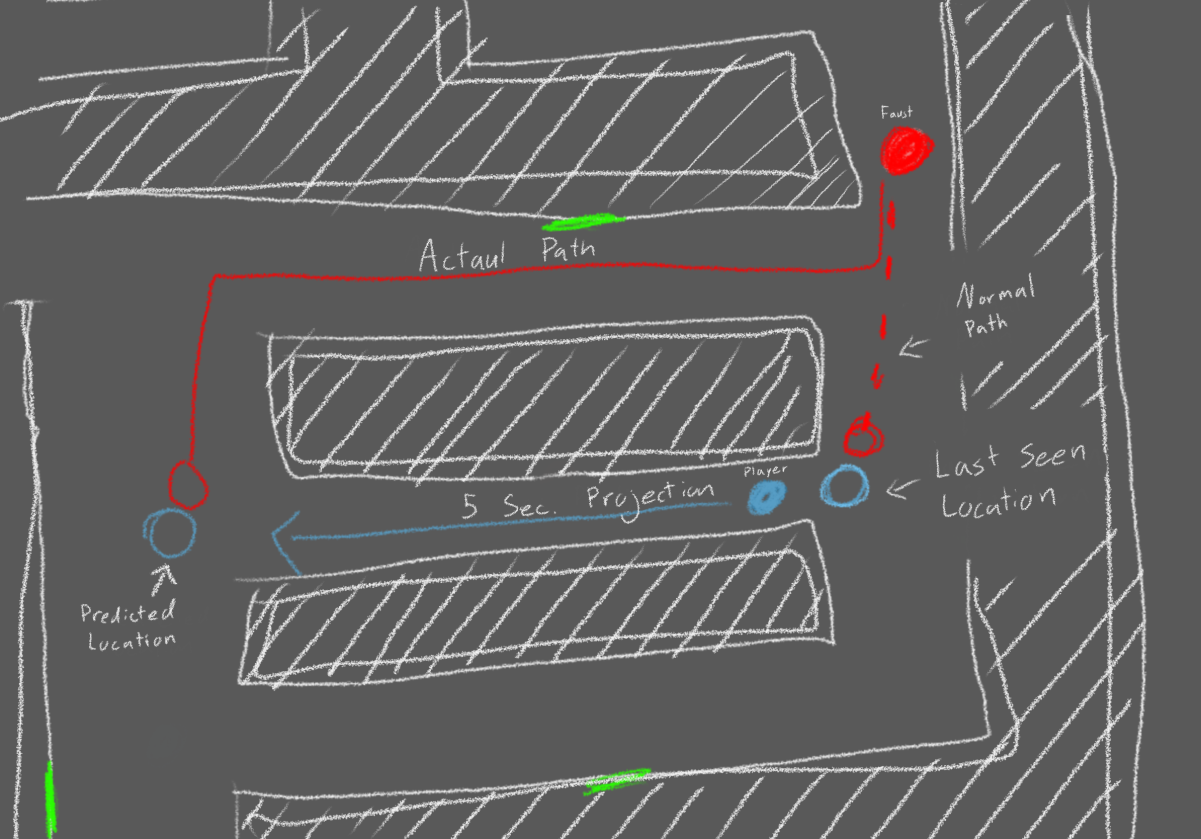
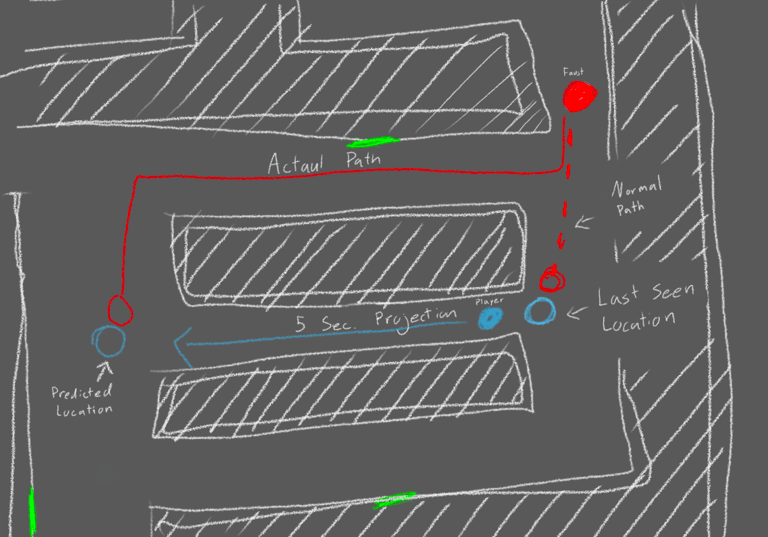
The last sense Faust uses is the prediction sense, designed to make the AI appear more intelligent during pursuits. When Faust loses visual contact with the player, this system calculates the player’s last seen position, direction, and speed, and then projects a point five seconds ahead.
Instead of heading to the last known location, Faust moves to the projected point. This enables the AI to anticipate the player’s movements, cut them off, or approach from unexpected angles, making encounters more challenging and dynamic.
Faust Map Navigation
Faust's main method of searching is through Unreal's Environment Query System (EQS). Faust generates a grid of points on the nav mesh, with each point taking into account factors such as line of sight, distance from Faust, and proximity to points of interest. Each point is assigned a score, and Faust selects a random point from the top 25 percent of scored points.
Currently, Faust uses two different EQS patterns. The first is for general exploration of the map, and the second is for hunting the player. General exploration prioritizes distance so Faust can move around the map efficiently. When hunting the player, Faust prioritizes locations it cannot see and uses a midpoint to simulate searching behavior.
FAUST State Trees
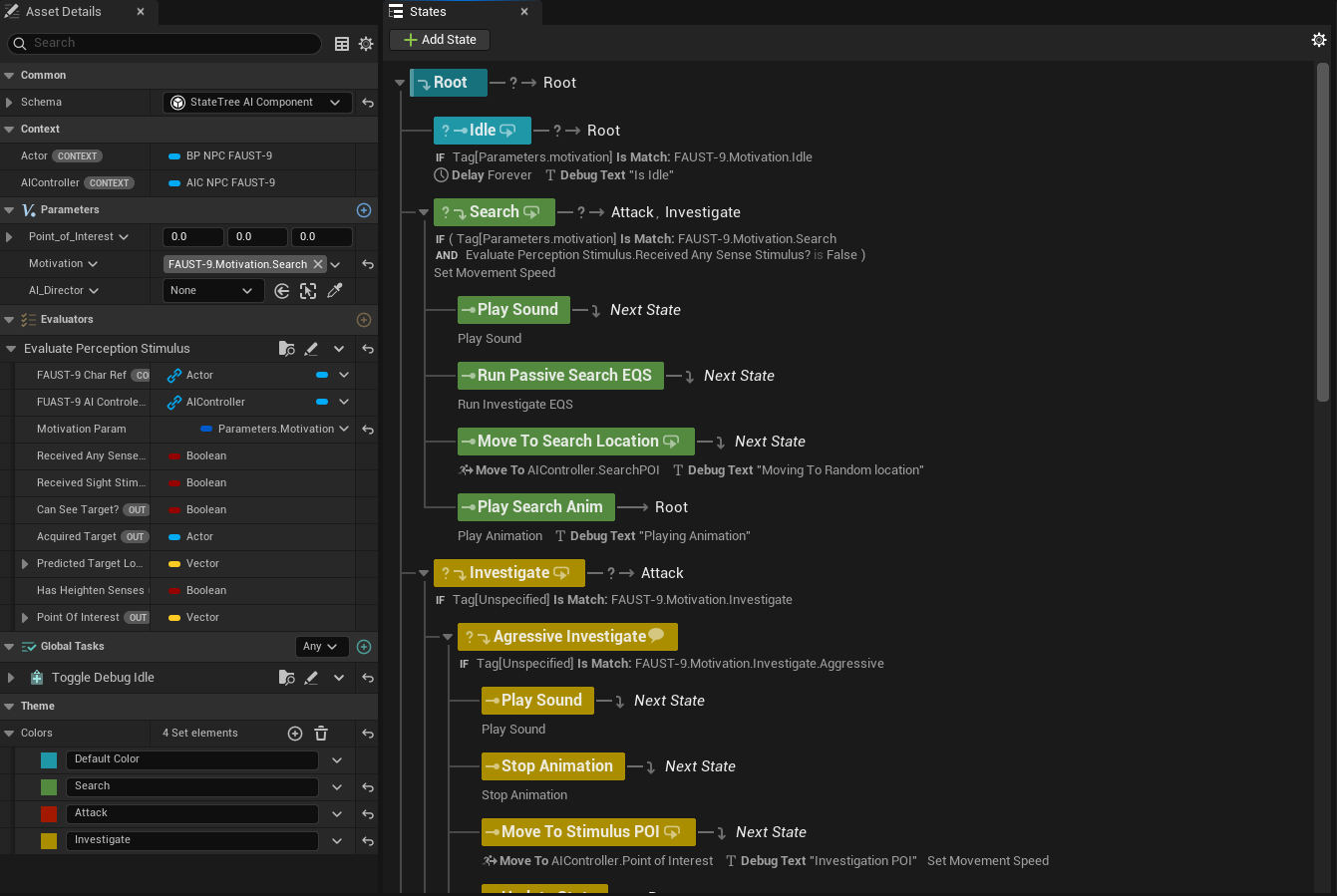
Faust’s main AI brain is built using Unreal Engine’s state trees. These have the advantage of being more efficient than traditional behavior trees and appear to be the preferred system Unreal recommends for AI development.
For Faust, I implemented Unreal’s gameplay tag system to manage entering and exiting main branches of the state tree.
A challenge I ran into with Unreal 5.6 is that you cannot attach a blackboard to a state tree. This creates a limitation because most variables in the state tree are read-only unless they belong to the component that created them. Blackboards normally solve this problem, so my workaround involved passing data first to the AI controller and then to the state tree. While this solution functioned correctly, it introduced some complexity and messiness in the code, which I plan to address and improve in the future.

Prototype 1

After a few weeks of development, I created this build and showed it to others to get initial feedback. The main goal at this stage was to evaluate how Faust and the player interacted, and to see whether the core gameplay loop was holding up.
The playtest highlighted two important lessons. The first was related to map design, as certain layouts created issues for both navigation and tension. The second was ensuring Faust could consistently reach key areas in the environment, which is essential for creating believable and challenging encounters.
Map Design
This playtest revealed two major issues with the map design. The first involved the non-linear structure of the level, and the second was the compact placement of cover throughout the environment.
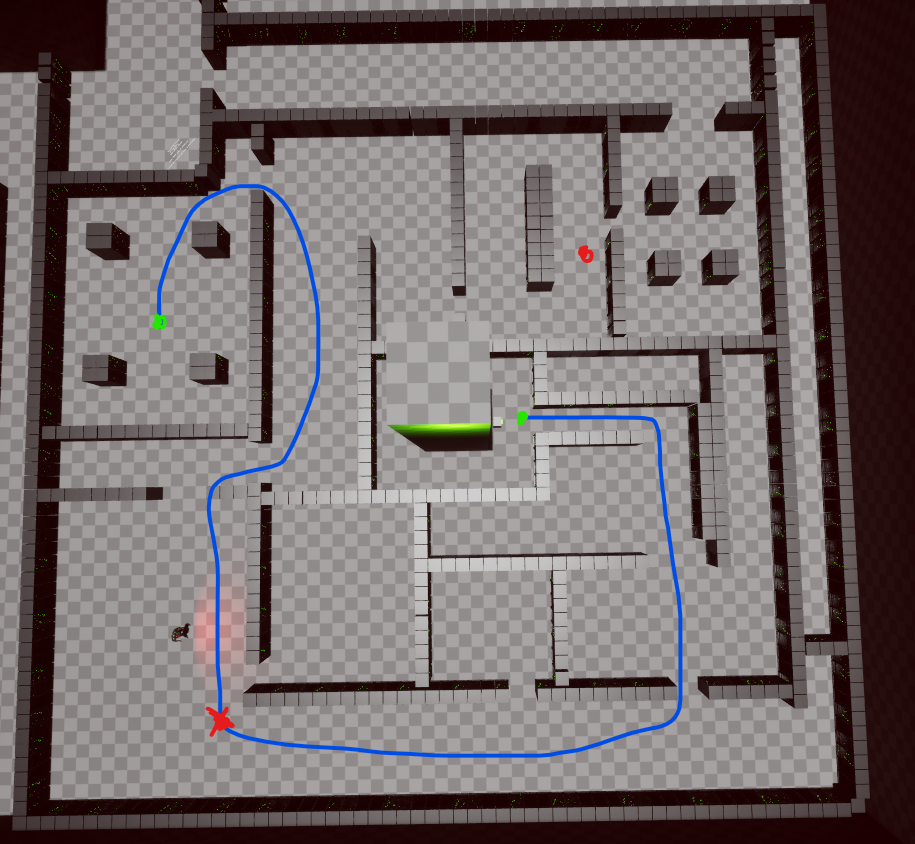
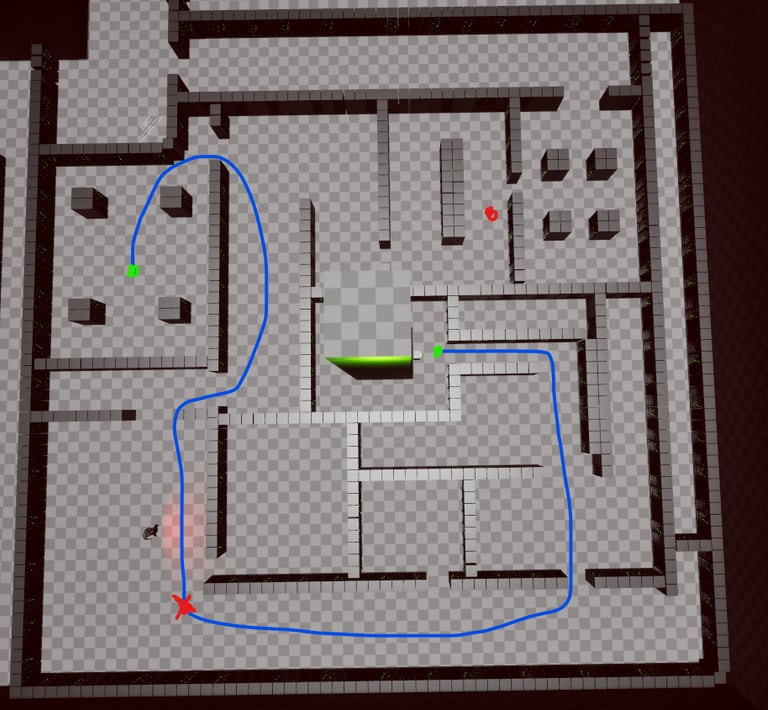
Prototype map 2 was originally designed with several paths leading to the objective tower so the player could choose their own approach. However, this worked against the core experience. As soon as players spotted Faust, they would simply turn back and choose a different route, completely skipping the intended confrontation. To keep the tension and ensure consistent encounters, the final prototype had to shift to a more linear layout that naturally funnels the player toward Faust.
Prototype Map 2
Final Prototype Map
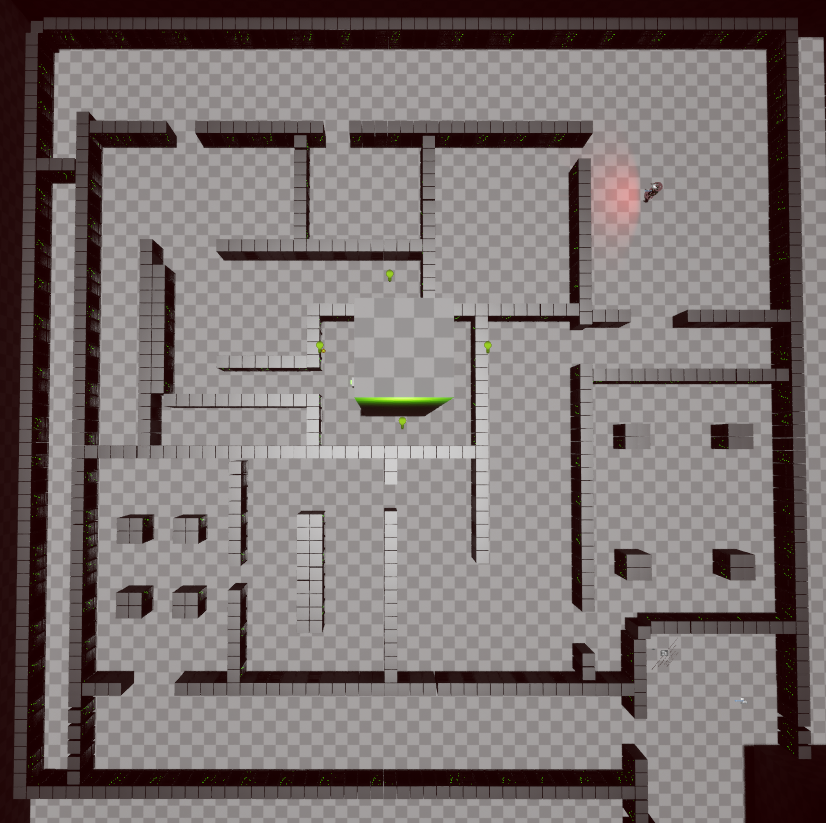
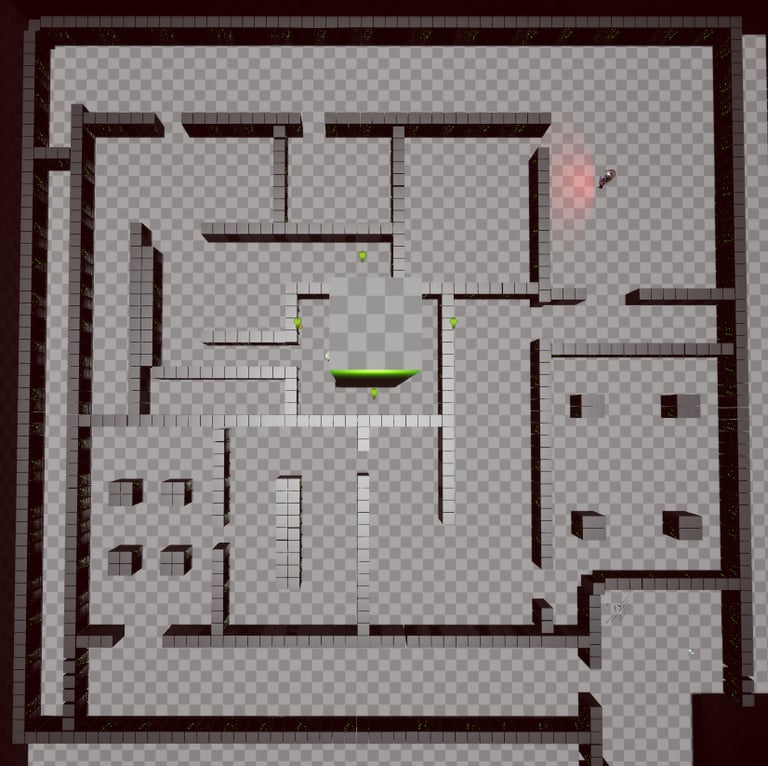
The second issue was the map's compactness. The tight cover and narrow spaces blocked too much of Faust’s line of sight, reducing its ability to track and pursue the player effectively. When the map was opened up and the cover spaced out, the encounters became more dynamic and believable, allowing Faust to behave in a way that supported the horror design.
I also made adjustments to both Faust and the Game Director in an effort to make their behavior more adaptable when dealing with a fully open map.
The main issue I ran into was getting Faust into a meaningful position to interact with the player. In the early versions, whenever the player's stress level dropped, the Game Director would generate a hint by selecting a location near the player and sending Faust toward it. The problem was that if Faust was behind the player, the player could simply out pace him. As a result, the two would never meet, breaking the tension and defeating the purpose of the AI design.
To fix this, the Game Director began checking the path lengths from both Faust and the player to the player's current objective. If Faust's path was longer than the player's, the Game Director would redirect Faust to a point halfway between the player and the objective. This made Faust more effective at intercepting the player, especially when the player was far ahead. The target point also updates dynamically when the player changes objectives.
Faust Changes
Prototype 2

Prototype 2 was centered around expanding the game beyond its initial foundation. This phase introduced a significant amount of new content designed to make the overall experience feel more complete and representative of the intended final vision.
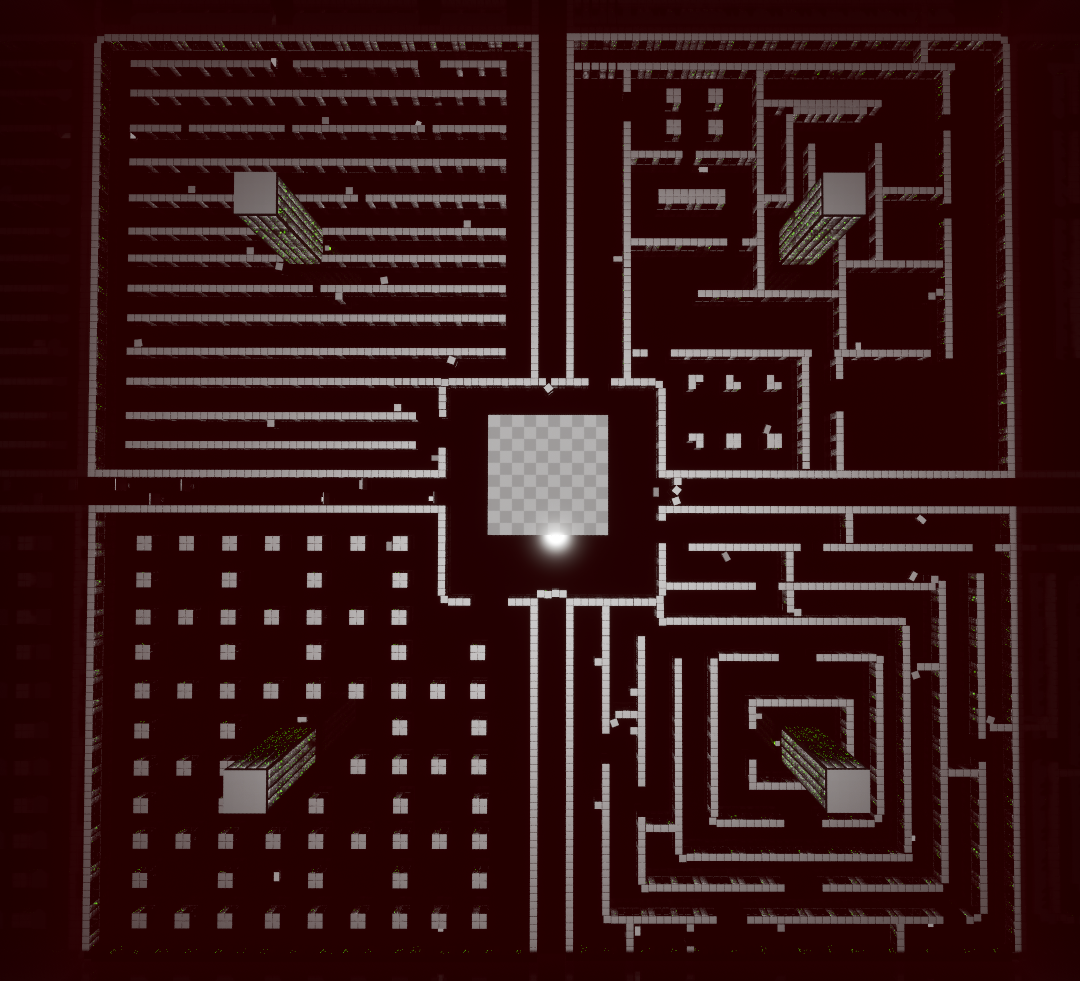
More Map
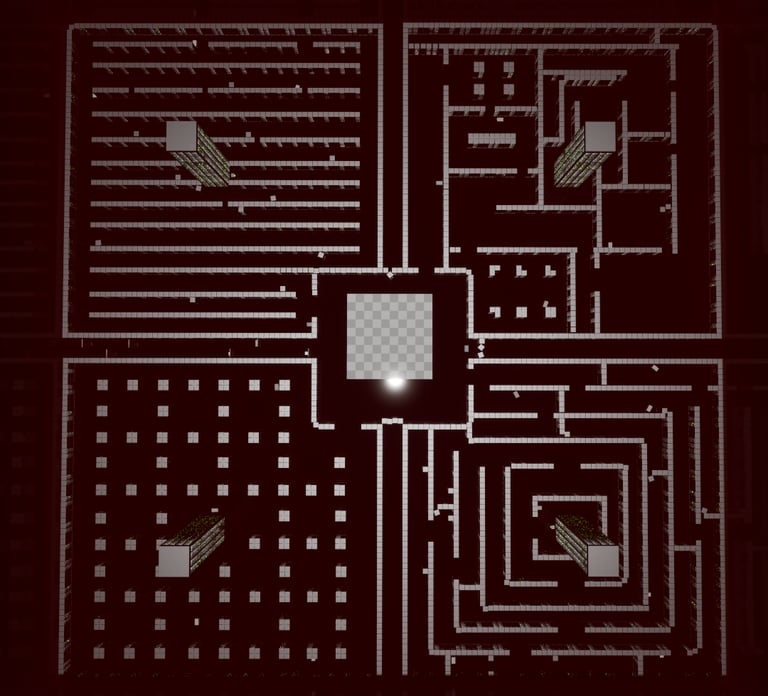
In this prototype, I expanded the map to its full intended size. Each section was built to create a unique atmosphere, and I made sure not to overwhelm players with excessive maze-like layouts. As a result, there is only one true maze section, while the rest of the areas offer different levels of difficulty, openness, and navigation flow.
However, opening up the map introduced a new problem: in some areas Faust could spot the player far too easily. To address this, I began adding small pockets of micro cover throughout the environment. These small pieces of natural cover help the player break line of sight without making the map feel cramped like the earlier prototypes. This adjustment improved the hide-and-seek dynamic, but much more playtesting is required to fully balance the space and ensure the encounters feel fair and consistent.
Distraction Device
In the previous prototype, it became clear that the game needed more ways for the player to interact with Faust, especially to influence his behavior. To fix this, I added a throwable distraction device that triggers a sound on impact. Since Faust already investigates any sound he hears from the player, integrating this mechanic into the existing system was fairly simple.
Behind the scenes, the device system is more complex than it appears. I placed several spawn tables throughout the map, each with a 25 percent chance to produce a device at run time. When a device spawns, it receives a random rotation and small position offset so it looks naturally placed rather than deliberately positioned. This keeps item distribution feeling organic and encourages exploration.
However, one issue still remains: the distraction device’s design does not visually communicate its function very well. Players may not immediately understand what it is or how it should be used. Redesigning the device to better convey its purpose is a planned improvement for future iterations.

Game Sound
From the beginning, I understood that sound would be a crucial element of gameplay. While horror games often use audio to create atmosphere, in this game it directly affects player strategy because Faust can detect movement through sound. One of the main challenges during development was making sure players understood that their noise level had consequences and that moving quietly was a meaningful choice. I approached this primarily through sound design.
I recorded all of the game’s sounds using my bass and guitar and processed them with simple effects in Pro Tools. Running footsteps are deliberately loud and sharp, creating tension and discouraging the player from rushing. Walking and crouching footsteps are quieter and more controlled, giving players options for stealthy movement. Faust’s own footsteps are distinct and audible from a distance, serving as an early warning system and reinforcing the idea that sound is a shared space between the player and the AI. This combination of audio cues helps create a tense, reactive gameplay experience, where every step matters.

Even after adding new sounds and clear visual signs, many players still had trouble understanding that Faust could hear them. To address this, I added a sound bar to show the player when they were making noise. It started as a standard on-screen HUD element, but moving it to a diegetic HUD made it slightly clearer, although some players still seemed impatient and ignored it.
In the current version of the FAUST-9 Debug Tool, the noise bar is the only feature implemented. The stress meter will be added later. During playtests, I always kept the stress debug visible, and players consistently said it helped them feel more immersed.
Another feature planned for the future is displaying Faust’s current state. I think seeing what Faust is thinking or doing in real time would increase tension and help players better understand how their actions influence the AI.
FAUST-9 Debug Tool
Final Thoughts and improvements
This has been a project I have wanted to work on for a long time, and I am very happy with how it has turned out so far.
There are still several areas I want to improve. Developing a game like this from scratch often involves experimenting with multiple approaches until something works, which can leave certain parts of the codebase difficult to modify or expand. I plan to revisit these sections to refactor and optimize them for future iterations. Additionally, I want to add more polish and behaviors to Faust. While he is already effective at tracking and challenging the player, there are many more interactions and nuances I would like to implement to make him feel even more alive and unpredictable.
At the moment, the project will be on hold because I am joining a team project and need to focus my attention there. Despite this pause, I fully intend to return to FAUST-9 in the future to continue refining the AI, gameplay systems, and overall experience.
Contact
Marshallball94@gmail.com